Table Select
Table select does exactly that. It selects a table. The PD Field Controller (FC) can store multiple data tables, and it is typical to have two identical tables for your show as a backup in case one becomes corrupted. Here are step by step instructions to select a specific table (table 1 is chosen for this example): |
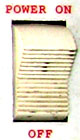
| Turn power on by switching |
 |
|
| Then you need to press |
 . . |
|
| Then you need to press |
 |
to select "select". |
| Then you need to press |
 |
to select table 1. |
| Then you need to press |
 |
to complete the selection. |
Table Edit and Changing of an Address
Table edit allows you to edit all items of each shot within the table. Included are the shot #, line #, address, pre-fire time, and caliber. Make sure you watch our training video on how to change an address. Here are step by step instructions to edit a table and change a shot address. For this example, we are changing address 129 to 3AF. |
| Turn power on by switching |
|
|
| Then you need to press |
. |
|
| Then you need to press |
 |
to select "edit". |
| Then you need to press |
 |
to select the address you want to change. |
| Then you need to press |
|
|
| Then you need to press |
 |
|
| Then you need to press |
 |
|
| Then you need to press |
|
to complete the selection. |
| It will now ask you for the new address, which you will now enter, |
| Then you need to press |
 |
|
| Then you need to press |
 |
|
| Then you need to press |
 |
|
| Then you need to press |
|
to complete the task. |
| You have now changed the address from 129 to 3AF. |
| Exit this mode by pressing |
 |
|
Additional Table Manipulations
This same process can be used to change the shot number, caliber, etc. You can locate the shot you want to change by pressing either "Go to Shot" or "Go to Address" (used in the example above), and then pressing the right arrow key to move through shot number, pft, caliber, etc. |
|